
Hurrican 3D
The Turrican-inspired run-and-gun as a stereoscopic diorama, on Meta Quest and PICO.
About
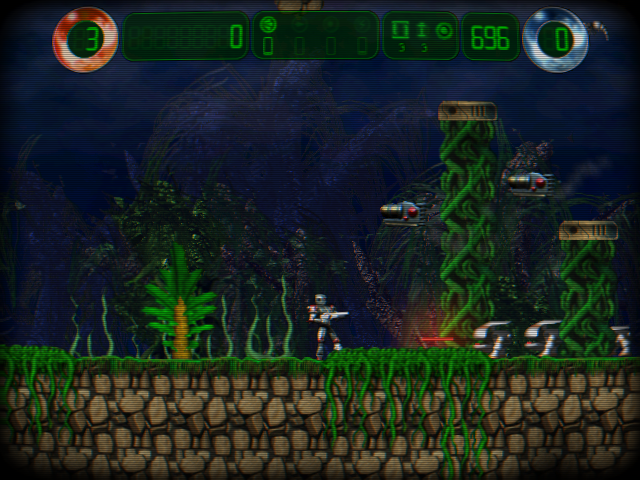
A standalone headset port of Hurrican, the freeware run-and-gun inspired by Turrican, for Meta Quest 2 / 3 / 3S / Pro and PICO 4 / Neo 3.
The game is played on a large world-locked virtual screen. Its draw layers (sky, parallax planes, tiles, playfield, overlays, HUD) are composited per eye at different depths for a stereoscopic "diorama" look.
There is one APK per make: QuestVR for Meta Quest, PicoVR for PICO. The PICO build is brand new and not tested on PICO hardware yet: reports are very welcome.
Features
- Seven depth layers composited per eye
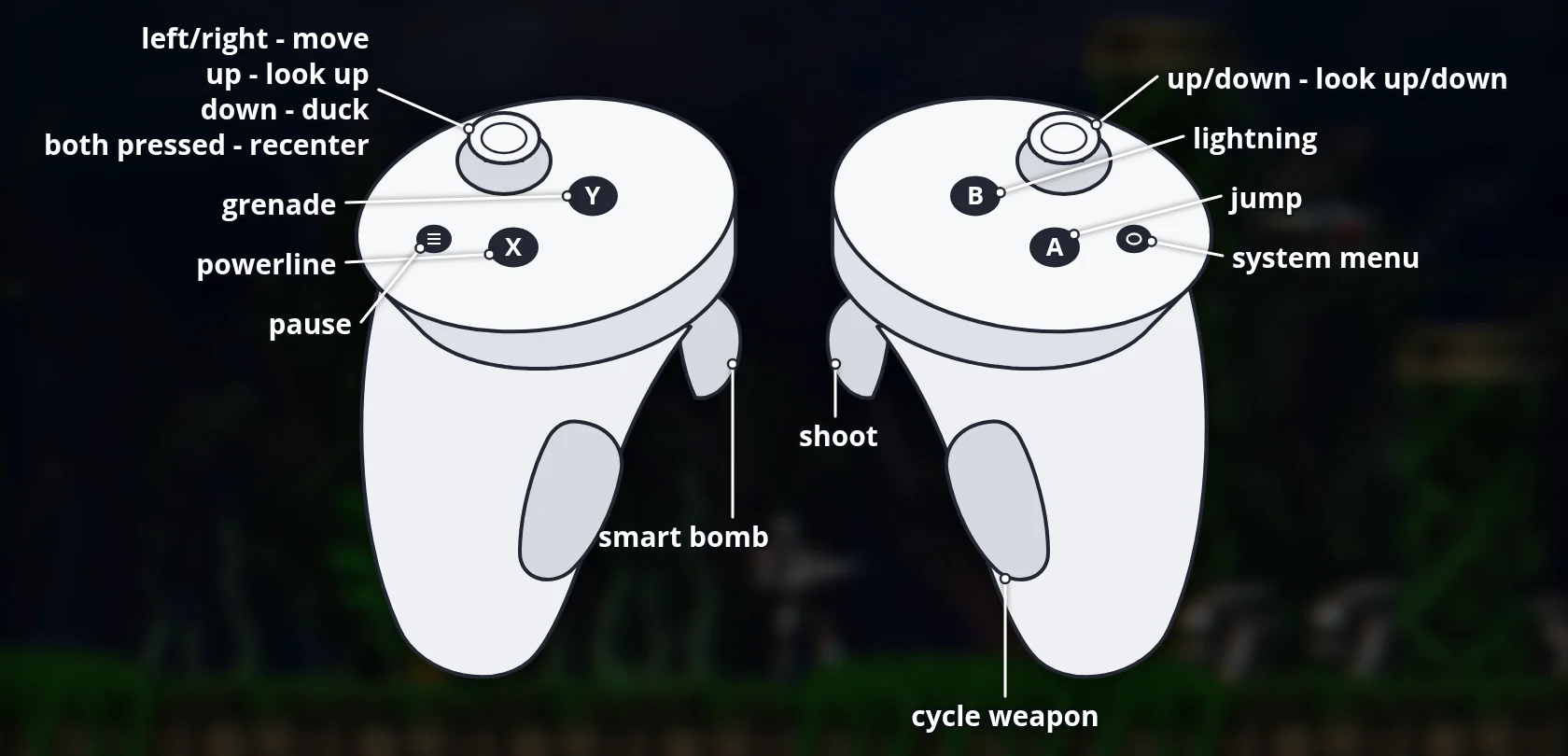
- Touch controllers fully mapped, with rumble, and remappable in Options → Define Buttons
- Screen size, distance, depth strength and refresh rate adjustable in
vr.cfg - All game data inside the APK
Manual
Installation
- Enable developer mode on your headset.
- Download the APK for your make below: QuestVR for Meta Quest, PicoVR for PICO.
- Sideload it with SideQuest or
adb install -r <file>.apk. SideQuest is a Quest tool, so on PICO use adb or whichever sideloader you already use. - Launch it from Library → Unknown Sources.
Good to know
- Tuning:
files/vr.cfgin the app's private storage (delete it to restore defaults). The default depth strength is 0.10. - Signed with a debug key: uninstall any previous differently-signed build first.
- The PICO build is untested: if it does not start, or buttons are mapped oddly, please open an issue on GitHub.
adb logcat -s Hurrican:* HurricanVR:*shows how far it gets and which controller profile was bound, which is the useful thing to paste in.
Controller mapping
| Input | Action |
|---|---|
| Left stick | Move / look up / duck |
| Right stick | Look up / down |
| A | Jump |
| Right trigger | Shoot |
| B | Lightning |
| X | Powerline |
| Y | Grenade |
| Left trigger | Smart bomb |
| Right grip | Cycle weapon |
| Menu (left controller) | Pause / back |
| Click both sticks | Recenter the screen |
Button names are those of the Meta Quest controllers; PICO controllers use the same layout (the grip buttons stand in for Quest's analog grips). Everything can be rebound in Options → Define Buttons.
Download
Install from your browser
One click over USB, for Meta Quest and PICO: no SideQuest needed. USB install works in Chrome or Edge on a PC, Mac or Android phone. No PC? Open this page in the Meta Quest Browser on your headset and install it right there.
The installer needs JavaScript. Use the manual download below.
First time? Before you start
- Turn on developer mode. Quest: Meta Horizon app on your phone → Devices → your headset → Headset settings → Developer mode. PICO: Settings → General → About → tap Software version 7 times, then Settings → Developer → turn on USB debugging.
- Connect the headset to this computer with a USB cable that carries data (not a charge-only cable).
- Close SideQuest and Meta Quest Developer Hub. If you use adb, run
adb kill-serverfirst: only one program can talk to the headset at a time. - Windows: if the headset doesn't show up in the list, install the Meta Quest ADB driver.
- After pressing Connect, put on the headset and allow USB debugging for this computer.
Hurrican 3D 1.1.0 — Quest + PICO latestv1.1.0 · 23 Sep 2026
All releases: github.com/SgtBilko76/Hurrican-3D/releases
Need help or found a bug? Ask in #support on our Discord, and get new releases in #new-releases.
Join the DiscordPictures & video

Credits: Based on Hurrican by Eiswuxe (Poke53280) and contributors.