
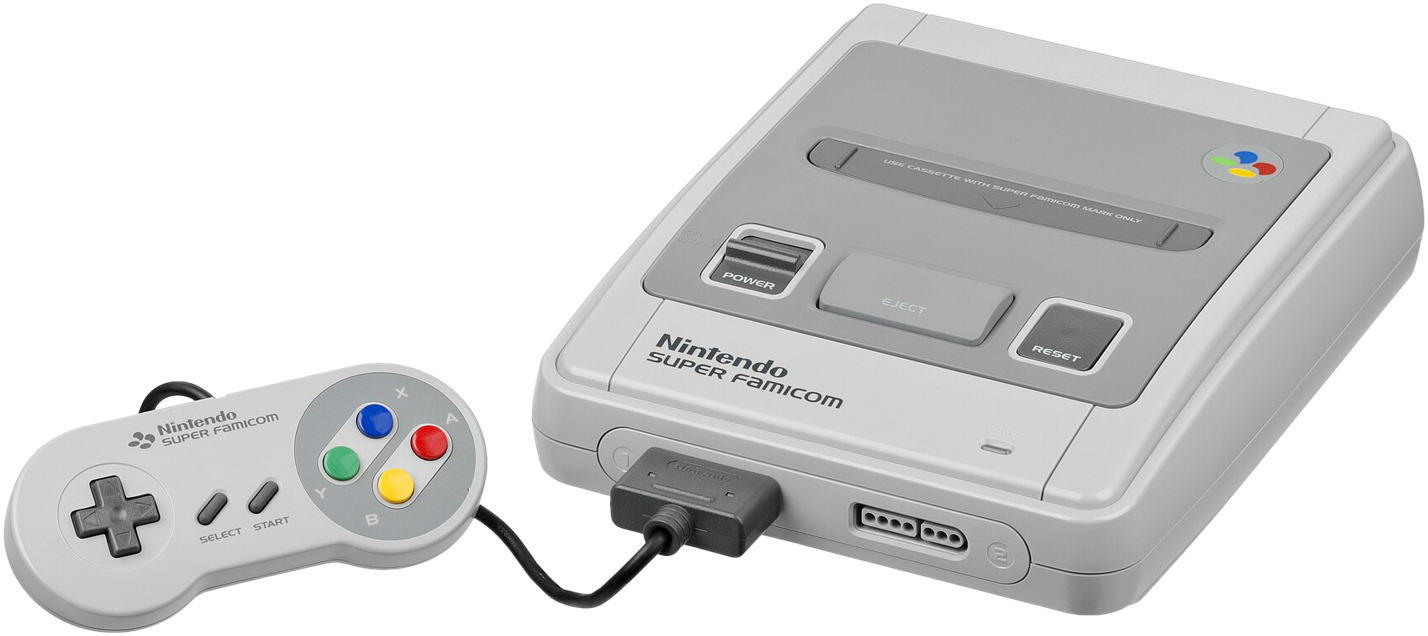
Snes9x 3D
SNES on a curved screen, with real depth and true Mode 7 perspective.
About
A port of Snes9x to Meta Quest that puts the SNES on a curved screen and reconstructs depth from what the console was already telling the renderer.
Backgrounds and sprites are split into their own layers, ordered by the console's own priorities, and a Mode 7 ground plane recedes properly into the distance instead of hanging flat.
Features
- Curved OpenXR screen, rendered at 2048×1536 per eye
- Depth: layer order, split layers and true Mode 7 perspective
- 120 Hz for 60 fps NTSC games (90 Hz for PAL)
- In-headset ROM browser;
.sfc,.smc,.fig,.swcand.zip - Ten save-state slots per ROM, plus battery saves
- Remappable controls; Bluetooth gamepads work too
Manual
Installation
- Enable developer mode on your headset.
- Download the APK below.
- Sideload it with SideQuest or
adb install -r Snes9xVR-0.1.apk. SideQuest is a Quest tool, so on PICO use adb or whichever sideloader you already use. - Put ROMs in
/sdcard/Android/data/com.snes9x.vr/files/roms, or choose any folder in Settings → ROM folder and grant storage access there. - Launch it from Library → Unknown Sources on Quest, or from your library on PICO: the app opens on the ROM list.
Good to know
- PAL games still judder slightly: no refresh rate the headset offers divides 50.
- Super FX games (Star Fox) get layer-order depth only, and take about 15 seconds to show a picture.
- PICO needs PICO OS 5.9.0 or newer: only from that version does the PICO runtime work with the generic Khronos OpenXR loader the port uses.
- The PICO build is untested: if it does not start, or the controllers do nothing, please open an issue on GitHub.
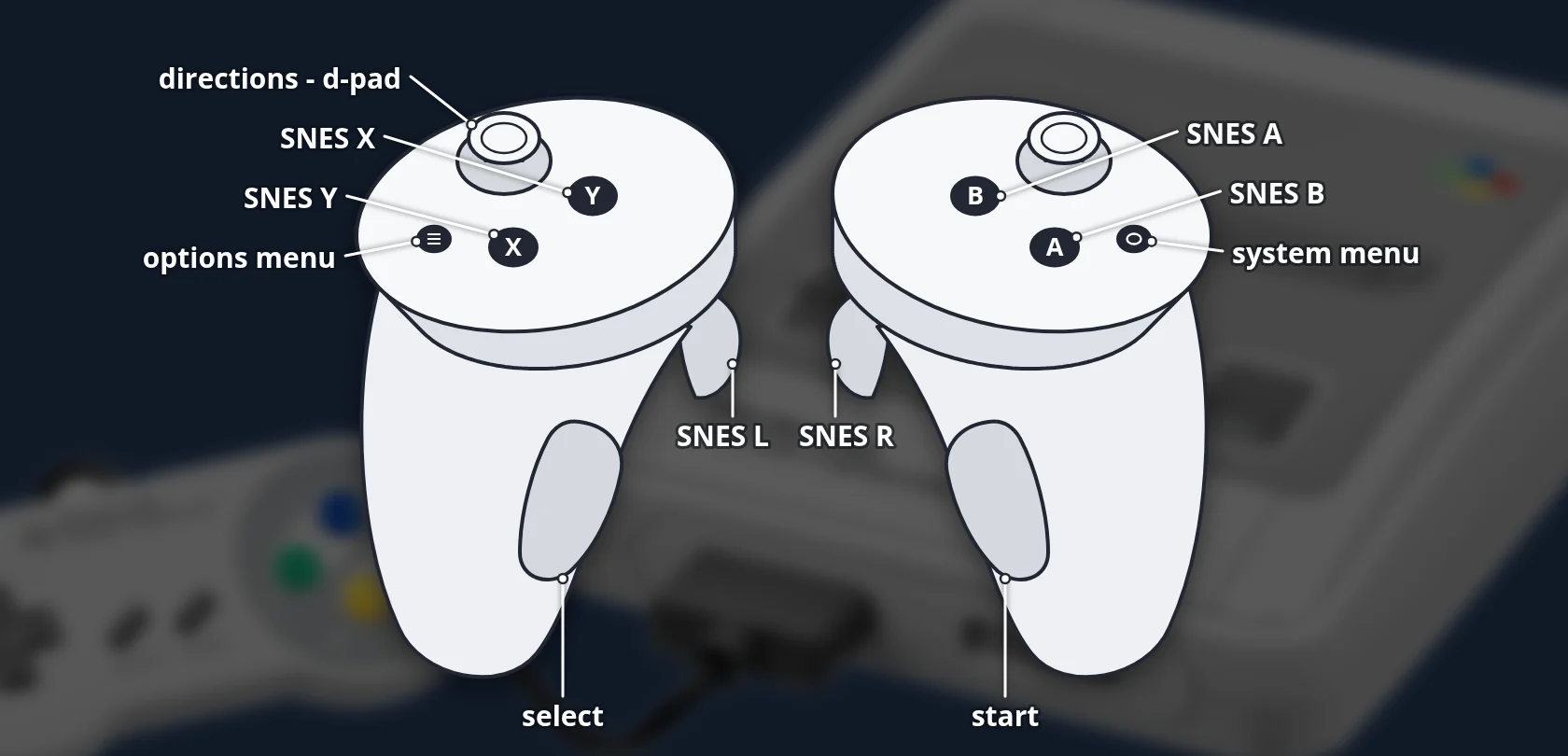
Controller mapping
| SNES | Touch |
|---|---|
| D-pad | Left stick |
| Y / X | X / Y |
| B / A | A / B |
| L / R | Left / right trigger |
| Select | Left grip |
| Start | Right grip |
| Options | Left menu button |
Remap everything under Controls... in the menu.
Download
Install from your browser
Over USB, for Meta Quest and PICO: installs the app and copies your own game files to the right place. No SideQuest, no adb. USB install works in Chrome or Edge on a PC, Mac or Android phone. No PC? Open this page in the Meta Quest Browser on your headset and install it right there.
The installer needs JavaScript. Use the manual download below.
First time? Before you start
- Turn on developer mode. Quest: Meta Horizon app on your phone → Devices → your headset → Headset settings → Developer mode. PICO: Settings → General → About → tap Software version 7 times, then Settings → Developer → turn on USB debugging.
- Connect the headset to this computer with a USB cable that carries data (not a charge-only cable).
- Close SideQuest and Meta Quest Developer Hub. If you use adb, run
adb kill-serverfirst: only one program can talk to the headset at a time. - Windows: if the headset doesn't show up in the list, install the Meta Quest ADB driver.
- After pressing Connect, put on the headset and allow USB debugging for this computer.
Snes9x 3D 0.1 — first beta latestv0.1 · 20 Sep 2026
All releases: github.com/SgtBilko76/snes9x-3D/releases
Need help or found a bug? Ask in #support on our Discord, and get new releases in #new-releases.
Join the Discord