
Speed Dreams VR
A full motorsport simulator, standalone on Meta Quest.
About
Speed Dreams 2.4 as a standalone Meta Quest application: stereo rendering through OpenXR, a curved menu panel, and the full game in one APK. Another 74 tracks and 90 cars can be downloaded from inside the headset.
Features
- Stereo rendering through OpenXR
- Curved menu panel anchored in the room
- Online play with ranking lists and a dedicated server
- Force feedback and rumble
- Extra tracks and cars in Options → Downloads over wifi (about 5.4 GB for the full set)
Manual
Installation
- Enable developer mode on your Quest.
- Download the APK below.
- Sideload it with SideQuest or
adb install -r <file>.apk. - Launch it from Library → Unknown Sources.
The first launch takes an extra half minute while the game data is unpacked to /sdcard/SpeedDreamsVR. Updates reuse it: just install the new APK.
Good to know
/sdcard/SpeedDreamsVR/vr.cfgholds eye buffer scale, refresh rate, antialiasing, mirror position and steering curve.- If a track won't hold frame rate, turn the sky dome off first.
- Practice and qualifying run one car at a time: use Quick Race or a championship to race opponents.
Controller mapping
| Input | Action |
|---|---|
| Right trigger | Throttle |
| Left trigger | Brake |
| Left stick | Steer |
| Left stick click | Reverse gear |
| Right grip | Shift up |
| Left grip | Shift down |
| A | ABS / confirm |
| X | ASR |
| Right stick click | Rear-view mirror |
| Y | Next camera; hold 1 s to recenter the menu panel |
Download
SpeedDreams-QuestVR latestspeeddreams0.0.4 · 08 Sep 2026
All releases: github.com/SgtBilko76/SpeedDreams-QuestVR/releases
Pictures & video
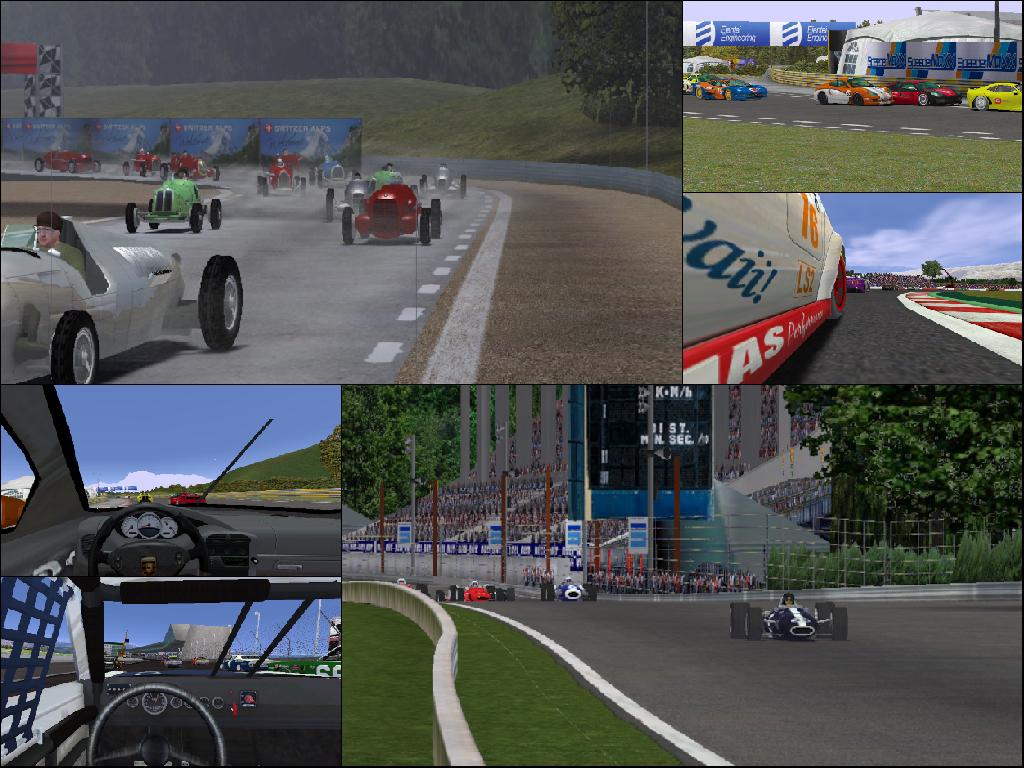
Credits: Based on Speed Dreams. Picture (desktop version): Ocirne94, CC BY-SA 3.0.